
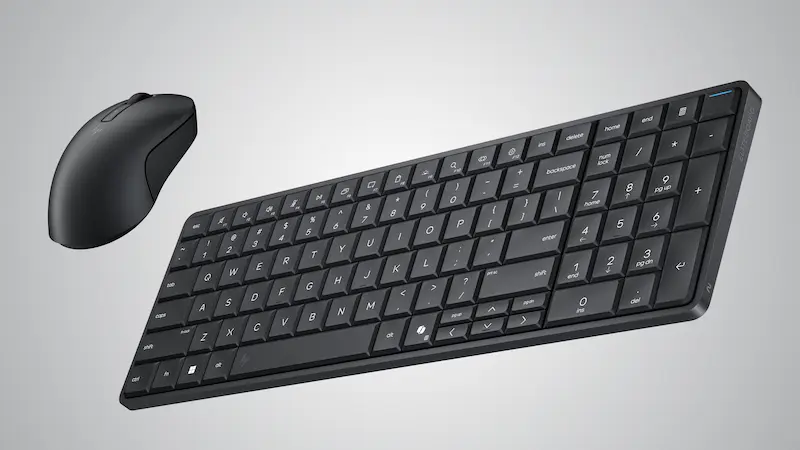

If you’re trying to understand what HP is proposing with its new EliteBoard G1a Next Gen AI PC—and why it’s generating buzz at CES 2026—the idea boils down to something simple, and increasingly rare today: a full desktop PC built into a keyboard. This isn’t a nostalgia play à la Commodore 64 (though it will definitely hit some geek nerves); it’s about solving a very current problem for businesses and hybrid teams: setting up flexible workstations that are easy to move and powerful enough for everyday work, without dragging towers, docks, and cables around like it’s 2010.
HP frames it as a reinvention of the desktop, backed by a reality highlighted in its own Work Relationship Index: only 44% of workers believe technology fits the way they work. In a world where work shifts between meeting rooms, hot desks, and multi-device environments, the EliteBoard G1a aims to be the “module” you carry with you—plug it into whichever screen is available and keep going—using an ultra-compact, IT-friendly form factor.
HP is also pairing this launch with a monitor designed to become the visual center of the setup: the HP Series 7 Pro 4K Monitor, which touts panel technology and connectivity built for professional workflows. On paper, the pairing makes sense: a PC that moves, and a display that anchors the space.
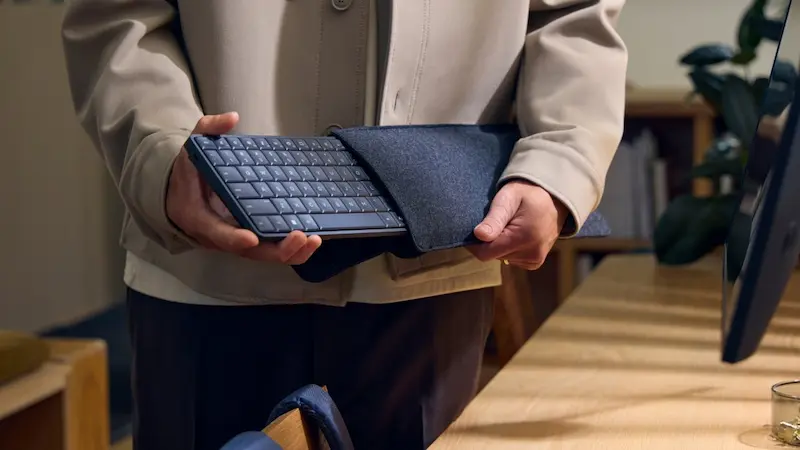
A Copilot+ PC disguised as an ultra-compact keyboard
The EliteBoard G1a’s main hook is its form factor: it looks like a “normal” desktop keyboard, but inside it packs the hardware of a Copilot+ PC. HP describes it as its smallest and lightest desktop AI PC, with a 12 mm profile and a weight of 750 g—far below what we usually associate with a traditional laptop. The goal is to get back to a clean, modular desk: you bring the monitor and mouse, and the system adapts to the space instead of forcing you to build a fixed setup.
On the platform side, HP equips it with AMD Ryzen AI 300 Series, configurable with Ryzen 5 or Ryzen 7 plus integrated Radeon 800 graphics. For memory and storage, it’s clearly aimed at office use with plenty of headroom: up to 64 GB of RAM and up to 2 TB of NVMe SSD. It’s not the kind of spec sheet you buy for heavy-duty rendering, but it’s absolutely the kind that lets you keep dozens of tabs open, run multiple corporate apps, and stay snappy in “productivity” territory.
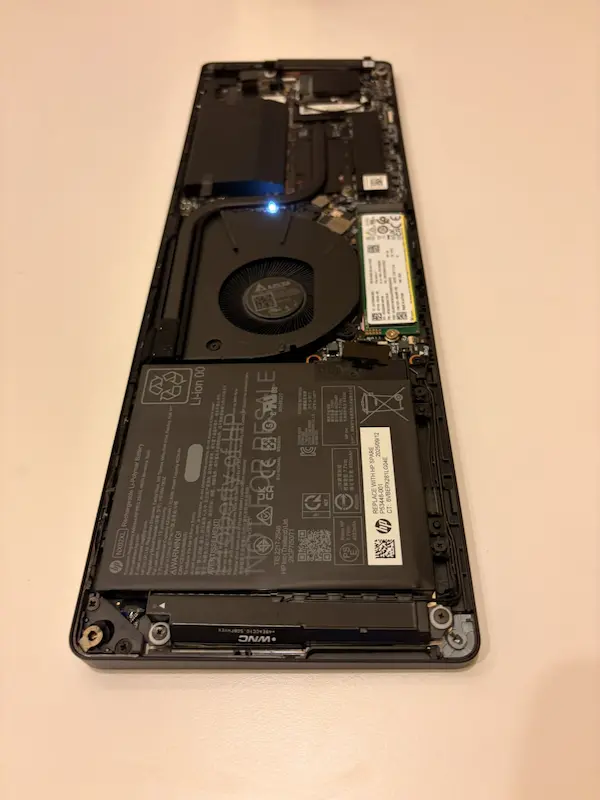
The “AI PC” pitch comes in via the NPU: HP claims over 50 TOPS to accelerate local AI workloads, a figure aligned with the category currently being pushed in Windows. The idea is for AI-assisted tasks to feel responsive without always relying on the cloud—especially appealing in corporate environments where latency, privacy, or compliance matter. And yes, there’s also an implicit wink to anyone who’s spent years hearing promises about “the PC of the future”: this time it’s hiding inside the most everyday desktop peripheral.
HP also integrates dual microphones and speakers into the keyboard itself, and mentions features such as HP Smart Sense and AMD’s automatic power-state handling (Auto State Management) to adjust performance, cooling, and—if chosen—optimization with an optional built-in battery. That battery, in particular, fits the mobility philosophy: being able to switch rooms or desks without constantly depending on power outlets.
Real-world experience: a modular promise… and the cable challenge
Beyond the concept, the interesting part is how it translates into day-to-day use. A first hands-on with an EliteBoard prototype makes one thing clear: the form factor is compelling when it boots and runs, because it’s striking to see full Windows coming “from a keyboard”—but it suffers if the connectivity ecosystem isn’t well thought out in practice.
That test points out an important detail: the unit had two USB-C ports on the back, which complicated setup because it had to handle power and video output at the same time. The workaround involved USB-C hubs, including one for charging and another with HDMI to connect the display. Instead of a clean desk, the result turned into a small cable festival—the exact opposite of what many would expect from a “keyboard PC.” Is this a final-product issue or just an early unit quirk? It’s not entirely clear, but it’s the kind of friction that can make or break mass adoption.
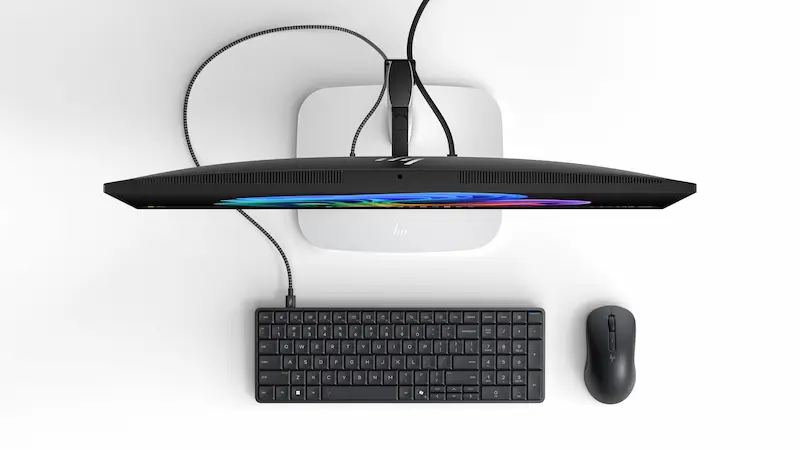
Once past the initial setup, impressions improve: the device feels genuinely usable and, performance-wise, it behaves like an entry-level laptop—enough for its main role, which isn’t glamorous but is realistic: being an office computer. In that session, it handled multiple browser windows with plenty of tabs, some photo editing, and light games like Vampire Survivors. Another key point for a product like this also comes up: typing on it feels good, which sounds obvious but isn’t always a given with “all-in-one” formats.
From a systems administration perspective, the appeal is easy to grasp: deploying “keyboards with PCs” instead of heavy towers sounds like a logistics dream for support, inventory, and maintenance. And if you’re wondering whether this is just a passing oddity, it’s worth remembering the industry has tried similar ideas before (from the UMPC era to peripherals with computer-like ambitions); the market just ended up putting the hardware behind a screen. Is the pendulum swinging back, or is this a well-executed experiment for a niche? HP, in fact, presents it as a way to gauge public response, even if its initial focus is clearly business-oriented.
HP Series 7 Pro 4K Monitor: the EliteBoard’s natural partner
HP isn’t only showing the keyboard-PC; it’s also introducing a monitor that fits the idea of the modern desktop as a multi-device “hub.” The HP Series 7 Pro 4K Monitor targets professional users who need visual accuracy and clean connections, and HP is leaning on two pillars here: the panel and connectivity.
On the image side, it builds on IPS Black performance and Neo:LED technology in 4K, while also highlighting factory color calibration and the option to use custom color profiles. In other words: it aims to be a consistent display for creation and collaboration, with a level of control closer to professional workflows than a generic office monitor.
For connectivity, the star feature is Thunderbolt 4 with up to 140 W power delivery and 40 Gbps, aiming for that single-cable setup for video, data, and charging. If the EliteBoard is built around moving and plugging into any display, a monitor designed with this philosophy can be the logical complement for fixed desks, editing rooms, or workstations where you want to minimize the adapter mess.
As for availability, HP is targeting March for both the EliteBoard G1a and the Series 7 Pro 4K via HP.com, with pricing to be announced later. Until then, what remains is the concept: a desktop that “rebuilds itself” depending on the day, with a PC that fits where the keyboard has always been—and, come to think of it, that’s a pretty strategic place to hide a computer.


