

If you’ve been using Gmail for years, you’ve probably accepted that the real challenge isn’t “having email” but surviving it: endless threads, searches that require an elephant’s memory, and a constant mix of important messages with noise that only exists to clog your inbox. With email volume at record highs and more than 3 billion people relying on Gmail to work and stay organized, Google is pushing the service into what it calls the Gemini era with a pretty clear idea: turn the inbox into a proactive assistant that saves you time, not just a place where messages pile up.
In 2026, the most visible change comes through AI features that summarize conversations, answer questions about your own email in natural language, and help you write better and faster. On top of that, there’s a concept many users have been asking for (even if not in those exact words): an inbox with automatic “priorities,” designed so urgent items don’t get buried under notifications and newsletters. The goal? Help you focus on what matters without needing to become an advanced-search expert.
AI Overviews: summaries and answers without digging
The first major piece of this leap is AI Overviews, a feature that takes email threads with dozens of replies and turns them into a summary of the key points. The problem it’s trying to solve is very real: even when you find the right thread, you often end up staring at a list of messages, opening and closing emails to reconstruct the context like you’re debugging an old bug with no documentation.
With AI Overviews, when you open a long email, Gmail synthesizes the conversation and delivers a condensed version. The idea is similar to what Google Search already does with AI Overviews, but applied to the information already sitting in your inbox. This not only speeds up reading; it also reduces the risk of missing important details buried in a mid-thread reply.
The second step, even more ambitious, is the ability to ask your inbox things using natural language. Instead of searching by keywords and hoping you remember the exact subject line, you can ask questions like: “Who was the plumber who sent me a quote for the bathroom renovation last year?” Gemini finds the information and gives you a summarized answer with the relevant details. It’s a shift in mindset: less “searching emails” and more “requesting an answer.”
On availability, Google says conversation summaries with AI Overviews are starting to roll out worldwide at no cost. By contrast, the ask-your-inbox feature powered by AI Overviews is reserved for Google AI Pro and Google AI Ultra subscribers. As a reminder, the company also notes that AI-generated summaries are experimental—a relevant caveat if you depend on absolute accuracy in sensitive contexts.
Assisted writing: Help Me Write, suggested replies, and Proofread
Email isn’t just read—it’s answered, negotiated, confirmed, and often rewritten. That’s where three productivity-focused features come in: Help Me Write, Suggested Replies, and Proofread.
From now on, Help Me Write is opening up to everyone, letting you both polish an email and draft one from scratch. Its value is obvious when you want to sound professional without spending ten minutes getting the tone right, or when you’re stuck on “how do I even start this message?” It’s not positioned as a magic button that sends messages for you, but as an assistant that gives you a solid starting point—then you decide.
Suggested Replies, meanwhile, arrives as an evolution of Smart Replies: instead of generic suggestions, it uses conversation context to propose one-click responses that better match what’s being discussed and, according to Google, reflect how you typically write. The example it gives is everyday: you’re coordinating a family get-together and someone asks if they should bring pie instead of cake; Gmail offers a draft in your style for you to review before approving it. In other words, it removes the mechanical work while keeping you in control—which is exactly where it should be.
The third pillar is Proofread, aimed at advanced grammar, tone, and style correction to make your message more polished before sending. However, this feature is tied to Google AI Pro and Google AI Ultra subscriptions, while Help Me Write and Suggested Replies are rolling out to everyone at no cost.
Google also says that next month Help Me Write will get a personalization upgrade by incorporating context from other Google apps. It’s an interesting hint at where ecosystem integration is heading—although, as always, the more context that’s brought in, the more important it becomes to understand what’s being suggested and why.
AI Inbox: an inbox that prioritizes for you
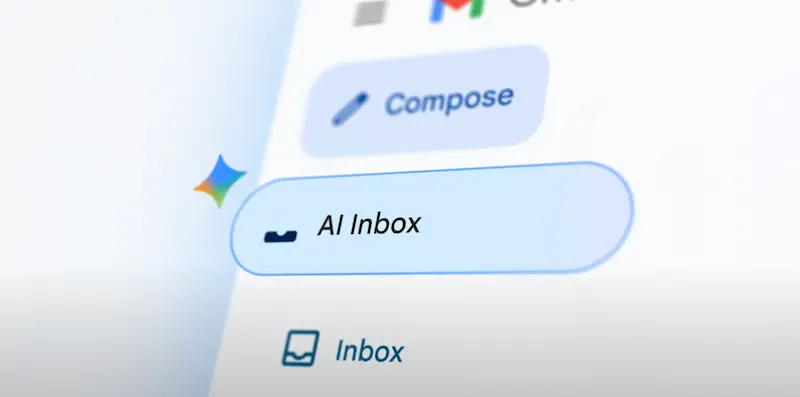
If there’s one area where Gmail can truly improve day to day, it’s prioritization. Not all emails are equal, but traditionally almost everything ended up in the same place, waiting for you to decide what was urgent. With AI Inbox, Google is proposing an inbox that filters out the “filler” and surfaces what matters as a personal briefing: reminders, pending tasks, and critical messages move up so you don’t have to rely on your memory (or your coffee) to find them.
According to the description, AI Inbox tries to identify your “VIPs” using signals such as how often you write to certain people, whether they’re in your contacts, and relationships it can infer from message content. The result is that high-impact items—like a bill due tomorrow or a dentist reminder—are more likely to show up at the top and in time. It’s the kind of automation that, when it works, feels almost invisible because it simply stops the unnecessary stuff from getting in your way.
A sensitive point in any system like this is privacy. Google says this analysis is done securely, with privacy protections, and that the data remains under your control. That’s a significant claim—especially because here the AI isn’t just “helping you write,” it’s deciding what deserves your attention first, which directly affects how you run your day.
For now, AI Inbox isn’t launching for everyone: Google is making it available to trusted testers before expanding it over the coming months. And yes, it sounds like that stage where the model gets tuned so it doesn’t turn your inbox into yet another feed—because we already have enough of those.
As for broader rollout, Google says many of these improvements are powered by Gemini 3 and start arriving today in the United States, initially in English, with plans to expand to more languages and regions over the next few months. So if you use Gmail in Spain, it’s reasonable to expect a gradual rollout. Either way, the direction is clear: less searching, less typing, and more managing email as a structured source of information—not a warehouse of messages.


