
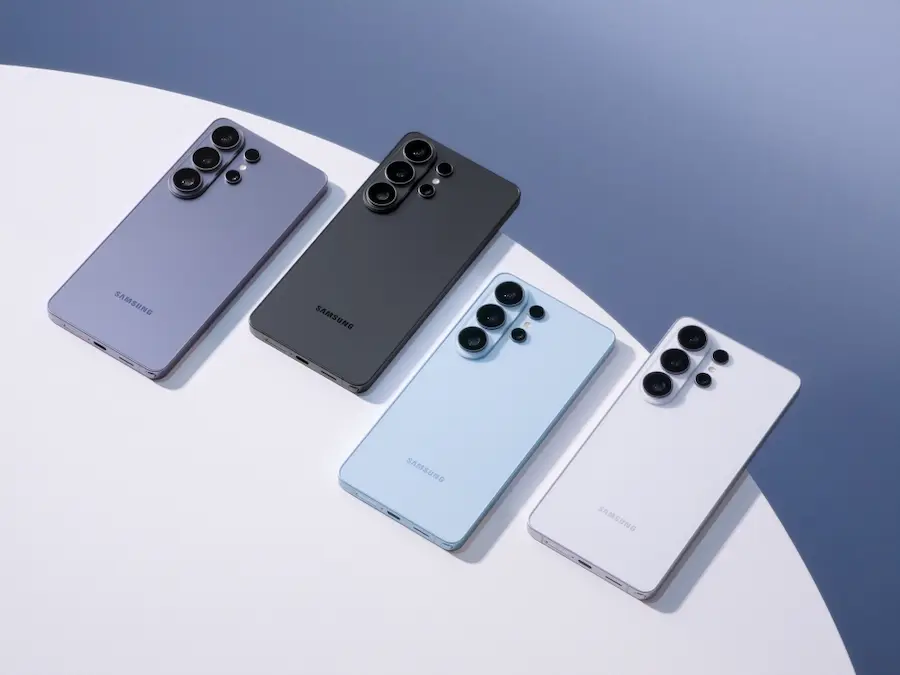

The Samsung Galaxy S26 is now official, and it brings that familiar feeling of “right, this is exactly what needed to happen” when a phone makes a real leap in everyday AI without forcing you to learn a manual or live inside settings menus. The new lineup—Galaxy S26, S26+ and S26 Ultra—is positioned as Samsung’s third generation of “AI phones,” built around one clear idea: letting Galaxy AI work quietly in the background, reduce steps, and keep you focused on the outcome—whether that’s organizing plans, finding information, or improving content.
And yes, it’s hard to hide the excitement: this is one of those launches many of us have been waiting for because it doesn’t lean on vague promises. Instead, it ties hardware, camera and AI into one coherent story, with an extra that speaks directly to the big tech conversation of 2026: privacy and control at a system level, not as an optional add-on. Who hasn’t glanced at their phone on the subway and wondered if the person next to them can see more than they should?
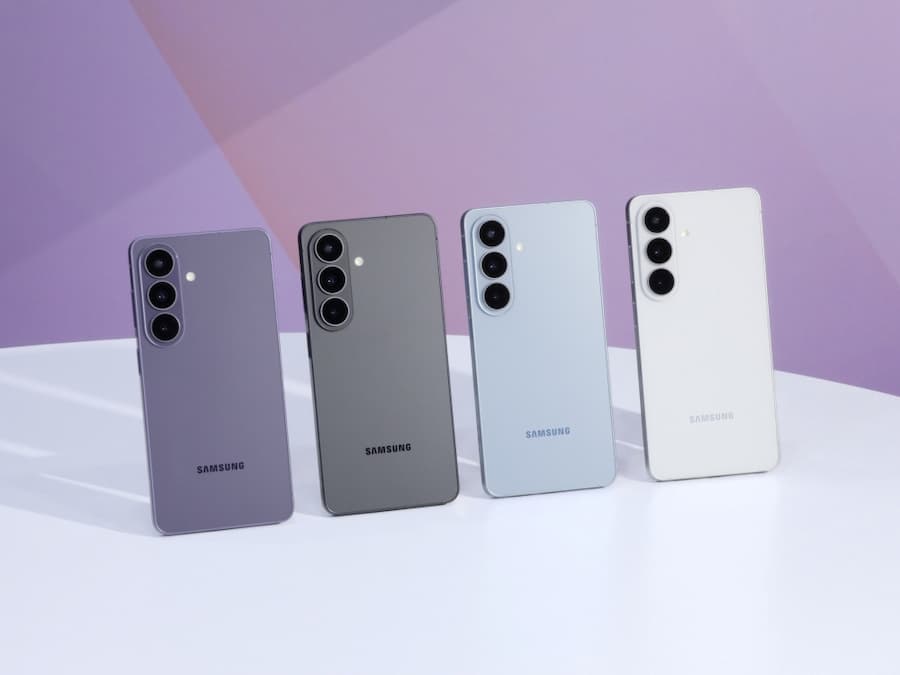
On availability, Samsung confirms that the Galaxy S26 Ultra, S26+ and S26 will be available for pre-order starting February 25, with a unified design and shared colors including Cobalt Violet, White, Black and Sky Blue, plus two Samsung.com exclusives: Pink Gold and Silver Shadow.
More proactive Galaxy AI: fewer steps, more context
The Galaxy S26’s core promise is AI that’s intuitive, proactive and adaptive, with less friction between what you want to do and what the phone helps you complete. Samsung says the technology “fades into the background” and handles the complex work behind the scenes—resulting in features that surface at the right moment, without forcing you to hop between apps like you’re solving a puzzle.
New additions to this smart layer include Now Nudge, which offers timely suggestions to keep you “in the flow.” For instance, if someone asks you for trip photos, the system can suggest relevant images from Gallery to avoid manual searching; and if a message about a meeting comes in, it can detect related Calendar entries and check for conflicts. Now Brief also evolves, becoming more proactive and personalized, with reminders for events like reservations or travel updates based on your context.
For search, the Galaxy S26 includes an upgraded version of Circle to Search with Google, with multi-object recognition to dig into different parts of an image; if you spot a look you like, it can identify multiple items in one search. And on the assistant side, a revamped Bixby arrives as a conversational agent that understands natural language to navigate and adjust settings without exact commands, while also integrating with a selection of agents such as Gemini and Perplexity—designed to complete tasks with a button press or voice and handle multi-step processes in the background. Done right, this is the kind of approach that could finally make AI a habit, not a dinner-table demo.
Performance, display and cameras: the Ultra gets serious
Samsung frames the S26 as a system where performance, camera and AI work together, with an emphasis on sustained all-day use and consistency under load. In the case of the Galaxy S26 Ultra, it’s powered by the Snapdragon 8 Elite Gen 5 Mobile Platform for Galaxy, with improvements of up to 19% in CPU, 24% in GPU and 39% in NPU versus the S25 Ultra—aimed at ensuring “always-on” Galaxy AI features don’t turn into micro-stutters when you’re multitasking, recording video or gaming.
To maintain that performance, the Ultra introduces a redesigned Vapor Chamber and changes to the thermal interface material to spread heat more effectively across a larger surface area. For real-world battery, it adds Super Fast Charging 3.0 with a very clear benchmark: up to 75% in around 30 minutes with a 60 W adapter (sold separately). For imaging and visuals, Samsung highlights ProScaler (on S26+ and Ultra) for image upscaling, and mDNIe with more accurate color processing than the previous generation.
On the display side, the Galaxy S26 Ultra features a 6.9-inch QHD+ Dynamic AMOLED 2X panel with adaptive 120 Hz (1~120 Hz) and Vision booster, while the Galaxy S26 comes in at 6.3 inches FHD+ and the S26+ at 6.7 inches QHD+, also Dynamic AMOLED 2X with adaptive 120 Hz. The Ultra measures 7.9 mm and 214 g, with IP68 resistance like the rest of the lineup.
For cameras, the Ultra leans into wider apertures to improve low-light capture and zoom, with a system combining a 50 MP ultra-wide, a 200 MP main, and two telephotos: 50 MP (with 3x optical and 10x “optical quality zoom”) and 10 MP (5x optical and 10x “optical quality zoom”), plus a 12 MP front camera. Nightography Video is improved, and Super Steady adds a horizontal lock to stabilize framing—clearly aimed at recording on the move. For advanced creators, the S26 Ultra is the first Galaxy to support APV, a professional-grade video codec with efficient compression and visually lossless quality even after repeated edits. In addition, the AI ISP extends to the selfie camera for more natural skin tones and greater detail in mixed lighting.
For editing, Samsung brings AI tools into familiar workflows: Photo Assist lets you describe changes in words—like turning a daytime scene into night, filling in missing areas, or even changing outfits in a photo; you can also review the process step by step and easily undo. Creative Studio brings creation and customization into one place to generate assets like stickers, invitations or backgrounds from a sketch, a photo or a prompt. And for everyday needs, there’s Document Scan, which removes distortions and distractions (like fingers or wrinkles) and automatically organizes multiple captures into a PDF.
Privacy and security: “stealth mode” built in
The standout headline feature of the Galaxy S26 Ultra is its integrated Privacy Display, described as the mobile industry’s first “built-in from the factory,” with “pixel-level” privacy. The idea is straightforward: in shared environments—public transit, cafés, offices—the panel can limit what’s visible from the sides while keeping the image clear and comfortable for the user. Unlike stick-on privacy films, this solution is designed to preserve viewing quality when turned off, and when enabled, restrict the viewing angle even when switching between portrait and landscape.
Users can also set when it activates (for example, when entering PINs, patterns or passwords, or when opening specific apps) and adjust levels, including Partial Screen Privacy to limit the visibility of notification pop-ups and Maximum Privacy Protection to darken the sides further with minimal impact on power and usability. Samsung notes that, depending on the environment and angle, some information may still be visible—so common sense still matters: perfect privacy doesn’t exist, but this is a different league.
On the software side, new measures work quietly: AI-powered Call Screening identifies calls from unknown numbers and summarizes the intent, while Privacy Alerts uses machine learning to warn you when apps with admin privileges try to access sensitive data like precise location, call logs or contacts without an obvious need. In Gallery, Private Album lets you hide selected photos and videos without creating separate folders or signing in to a Samsung Account.
On the more hardcore side, Samsung expands its push for post-quantum cryptography (PQC) to system processes such as software verification and firmware protection. There are also improvements to Knox Matrix, with end-to-end encryption enabled with PQC for more services (including eSIM transfers) and more visibility into firmware status via “Security Status of Your Devices.” All of this is backed by Samsung Knox from the chip up, and by on-device Galaxy AI processing with Personal Data Engine (PDE), reinforced by Knox Enhanced Encrypted Protection (KEEP) to encrypt data per app and Knox Vault as a physically isolated layer for sensitive data. Samsung also mentions seven years of security updates, a point that significantly changes long-term value compared with faster upgrade cycles.
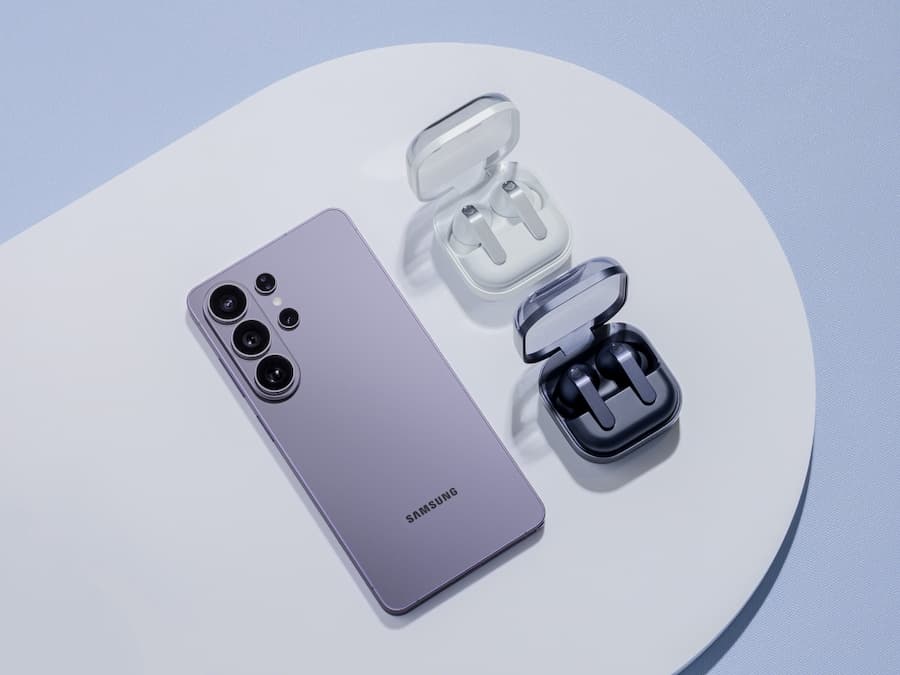
As part of the broader ecosystem, Samsung also introduces the Galaxy Buds4 series as a natural companion to the S26, with voice interaction to activate AI agents and, on Buds4 Pro, call management with Head Gestures (off by default and configurable via Galaxy Wearable). To round it out, Samsung offers Samsung Care+ as optional coverage with fast repairs for accidental damage, extended warranty and expert support, with terms that vary by country.


