
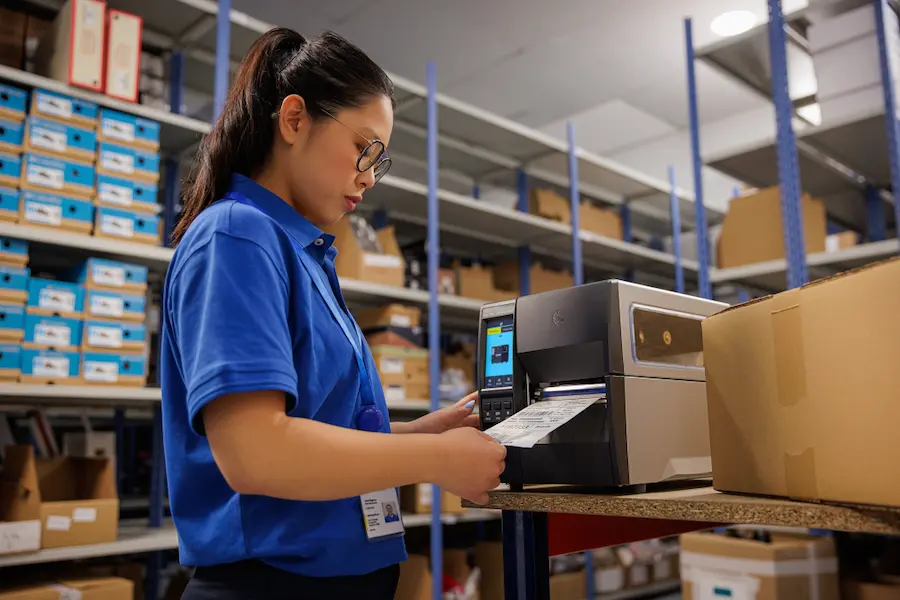

If you’ve ever had to wrestle with a Zebra printer in a warehouse, an eCommerce integration, or a production line, you already know ZPL (Zebra Programming Language) is powerful—but not exactly friendly when you need to iterate quickly.
That’s where using an online ZPL editor like Editor ZPL makes sense: a free tool that lets you design, edit, and preview labels in real time, straight from your browser with no installation required.
The idea is simple, and very well executed: you paste or write your ZPL code and instantly see how the label will look. For anyone who’s been through the classic loop of “change one line → print → fail → try again”, this is a real game-changer. Fewer physical test prints, fewer consumables, and—most importantly—a much faster workflow.
It’s also clearly built for real-world environments like logistics, warehouses, industrial settings, or eCommerce, where Zebra printers are practically a standard and every detail matters.
What Editor ZPL is and how it’s used day to day
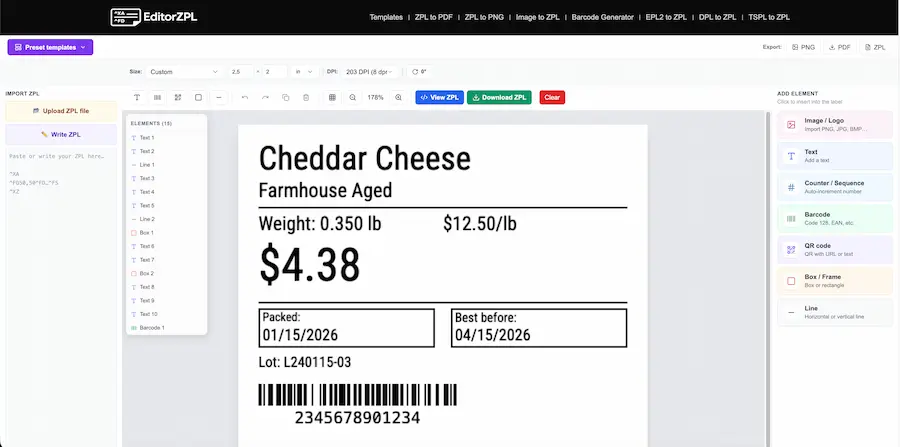
Editor ZPL works like a small label-focused “IDE”: you write code and see the output instantly. At its core is a syntax-highlighted editor paired with a real-time preview, so you can tweak positions, sizes, or fonts without losing context. You can also add images, text, counters, barcodes, or QR codes—it’s a very complete editor and, for now, completely free.
One of its most useful features is how it handles something essential in any labeling project: the relationship between label size and printer resolution. It includes common formats like 4”×6”, 4”×2”, or 2”×1”, plus custom sizes, and supports 203, 300, and 600 DPI, covering most printers on the market.
It doesn’t just replace your printing setup—it also speeds up the most time-consuming part: quickly validating whether the ZPL you’re using (or inheriting) behaves the way it should.
Key features: barcodes, preview, and export
Beyond the editor itself, there are several features that make it especially practical for everyday work.
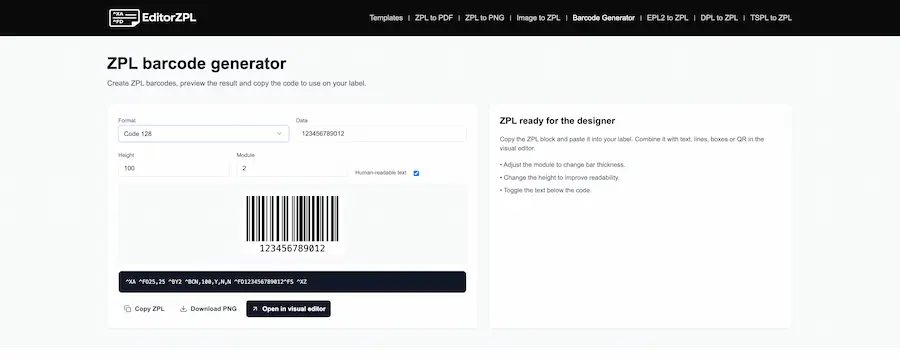
For example, the barcode generator means you don’t have to remember ZPL commands every time. It lets you quickly create labels using formats like Code 128, Code 39, QR, EAN-13, UPC, or DataMatrix, setting size, position, and text in seconds.
Another standout is the ability to export labels to PNG or PDF, which is extremely useful when you need to share a draft, validate changes with a client, or document an issue without needing a printer nearby.
These are the kinds of details that matter in real environments: less friction, more speed, and better communication across teams.
Conversion to ZPL and real-world use cases
Another interesting aspect of Editor ZPL is that it doesn’t stop at pure ZPL. It also includes tools to convert other printer languages to ZPL, which is very useful in environments where legacy and modern systems coexist.
- DPL (Datamax)
- EPL2 (older Zebra models)
- TSPL (TSC printers)
Each conversion includes a real-time preview and lets you download the output or keep editing it.
In practice, this fits several scenarios:
- Developers integrating printing into their applications who need to test quickly
- Logistics teams that constantly fine-tune label templates
- Printer migrations, where older designs need to be adapted to ZPL
It’s also available in multiple languages (including Spanish), making it easier to use across international teams.
A tool designed to help you work faster
Ultimately, what Editor ZPL offers is very simple: less friction. Being able to write ZPL, see the result instantly, and adjust on the fly completely changes the way you work with labels.
In environments where every test matters—whether because of time, cost, or coordination with other teams—having this kind of tool on hand makes a real difference. Less trial-and-error and more control from the very start.


