

Microsoft has introduced the Surface Laptop Ultra as its most ambitious laptop to date—a machine clearly aimed at people who genuinely deal with heavy workloads: development, 3D creation, video, on-device AI, and workflows that no longer fit into a typical ultrabook. This isn’t just about a spec bump, but a step up into a new tier within the Surface family, with a design that aims to balance sustained performance, portability, and a very clear focus on creators and technical professionals.
The key is that this model was designed from the ground up with NVIDIA, integrating an RTX GPU based on the Blackwell architecture, full CUDA support, and up to 128 GB of unified memory. That combination makes it possible to dynamically allocate resources between CPU and GPU depending on the workload—especially useful for rendering, AI models, long compilations, or projects with huge datasets. At a time when running tasks locally is making a lot of sense again—particularly for latency, privacy, and cost control—Microsoft wants this laptop to sit right at that intersection.
And yes, the message is pretty clear: it’s not meant for someone who just opens ten tabs and a document—though we all know Chrome sometimes behaves like it’s training a neural network on its own.
A Surface built for truly demanding workloads
What stands out most about the Surface Laptop Ultra is its technical focus. Microsoft claims up to 1 petaflop of AI compute and the ability to run models of up to 120 billion parameters locally—figures that place it in relatively uncommon territory for mainstream laptops. It’s not just about higher peak performance, but about sustaining performance in extended tasks, which is also why the thermal system has been redesigned.
According to the company, this new cooling system delivers up to 2.5 times the thermal capacity of the 15-inch seventh-edition Surface Laptop, pointing to a very specific goal: keeping intensive workloads going without the machine throttling halfway through a project. That fits the target user profile, because anyone working with complex scenes, long exports, or local AI assistants doesn’t need short bursts of speed—they need consistency. Microsoft also says the device can last a full workday, even on battery, though it’s best to treat that as a general claim rather than a fixed number, since the tests were conducted on pre-production units.
Unified memory is another cornerstone of the package. Because it can be allocated as CPU and GPU require, it enables simultaneous creation, inference, and processing workflows without the usual constraints of more rigid configurations. Microsoft positions this as a strong foundation for local AI agents, advanced editing, noise reduction, smart masking, video upscaling, or even on-device coding assistance.
A display, ports, and a design built around practical choices
On the outside, the Surface Laptop Ultra keeps the premium feel typically associated with the line, but here the design doesn’t seem to prioritize minimalism over function. It’s under 18 mm thick, weighs under 2 kg, and will be available in Platinum and Nightfall finishes. Microsoft emphasizes how thin and light it is, but what’s more interesting is that it hasn’t sacrificed connectivity to get there.
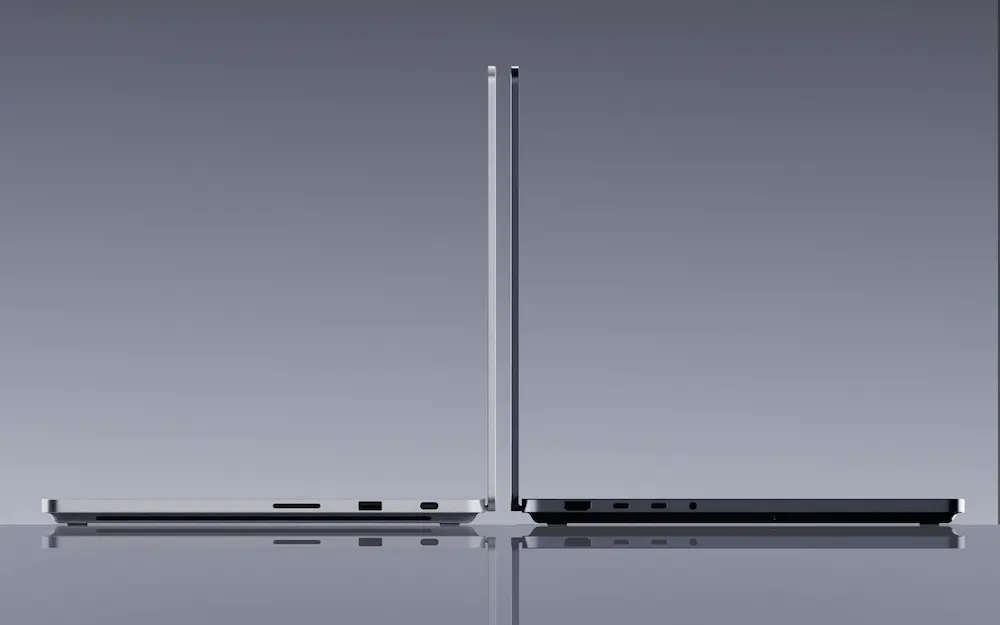
The laptop includes HDMI, USB-C, USB-A, a full-size SD card reader, and a headphone jack. It’s a selection that resists the “eternal dongle” trend, and that says almost everything about the user it’s meant for. For photographers, editors, developers, or anyone juggling peripherals, monitors, and external storage, having these ports built in reduces friction in an unglamorous—but very effective—way.
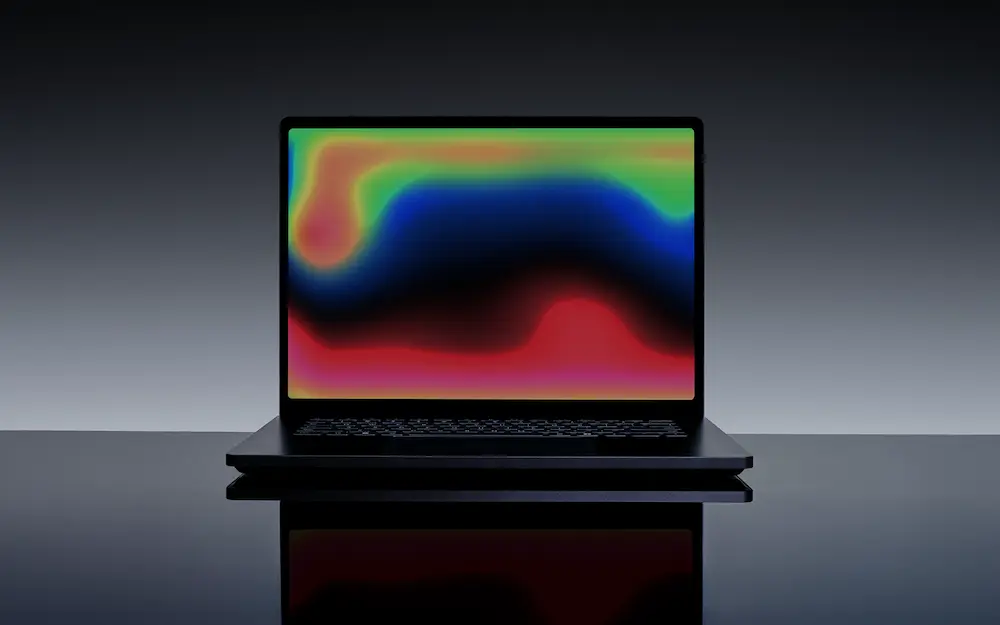
The display also moves up several notches. It’s a 15-inch mini-LED PixelSense Ultra touchscreen in a 3:2 aspect ratio, with 262 ppi and up to 2,000 nits of peak HDR brightness. Microsoft calls it the brightest panel it has ever put on a Surface, and it’s clearly aimed at users making critical decisions around color and exposure. Alongside it is a haptic touchpad that’s more than 30% larger than the one on the seventh-edition Surface Laptop, designed to improve precision in creative workflows and fine cursor control.
There’s also a clear effort around repairability and service life. Microsoft mentions repair guides, available replacement parts, and a user-replaceable SSD—assuming an appropriate level of technical know-how. In a market where many devices are still sealed up like they’re guarding Area 51 secrets, this puts the Surface Laptop Ultra in a far more practical position for professional and enterprise environments. In that context, it’s also worth keeping in mind how to manually update drivers in Windows to keep performance and compatibility up to date.
On-device AI, security, and availability of the Surface Laptop Ultra
Beyond the raw hardware, the Surface Laptop Ultra narrative revolves around on-device AI. Microsoft argues that processing sensitive work on the device itself improves data control and reduces latency compared to fully cloud-based alternatives. For certain users, that balance—local power with the option to scale to remote services later—makes a lot of sense, especially as compute costs and wait times start to weigh on real-world projects.
The device also relies on Windows Hello for passwordless facial authentication and hardware-based security to protect credentials, keys, and firmware—a combination that also makes it appealing for corporate use. It’s no coincidence Microsoft talks so much about both creators and managed environments: this laptop is meant to operate comfortably in both worlds.
The Surface Laptop Ultra will arrive later this year, though for now it remains a pre-production product and its specifications may vary depending on the market and regulatory approvals. That’s the least exciting part of the announcement, but also the most sensible. What’s already clear is the intent: Microsoft has built a Surface for workloads that previously called for a bulkier workstation, while trying to preserve the laptop form factor and the line’s design language. The big question isn’t whether it has power—there’s plenty of it—but whether the Surface family finally has a model that can go toe-to-toe with machines built for AI, advanced creation, and intensive development.


